Fintech · Budget Setup
Fintech · Budget Setup is a production-ready Fintech Flutter screen from FlutterKit — free, with full source code.
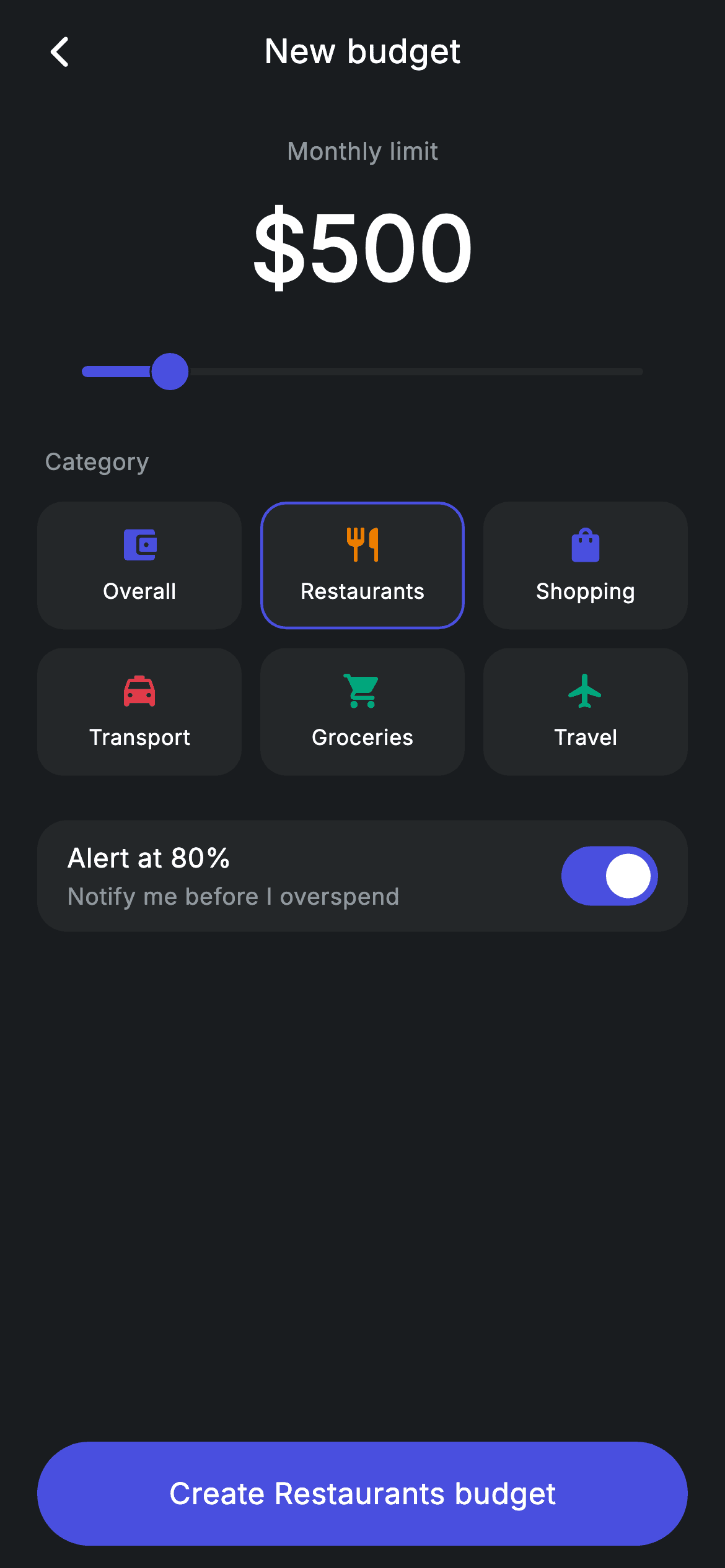
A budget-creation screen for a fintech app. A category picker (Overall, Groceries, Restaurants, Transport, Shopping, Travel), a monthly-limit amount slider whose large label updates live, and an 'Alert at 80%' toggle that notifies before overspend — all drive real state. The primary button is labelled with the chosen category. Pure Flutter with a forced dark theme and bundled Inter font, no network.
Full tutorial coming soon.
The step-by-step walkthrough and complete Dart source for this screen haven't been published yet. They'll be free when they are — no sign-up, no payment. In the meantime, browse the screens that already have their tutorial.
What's included
- ✓Category picker driving live state
- ✓Monthly-limit amount slider with live large label
- ✓'Alert at 80%' overspend-notification toggle
- ✓Dynamic primary button labelled by category
- ✓Bundled Inter font, forced dark theme, no network
Use cases
- ✓Create-budget flow in a finance app
- ✓Set monthly spending limits in a wallet
- ✓Budget onboarding for a fintech super-app
- ✓Category-based budgeting setup screen